Overview
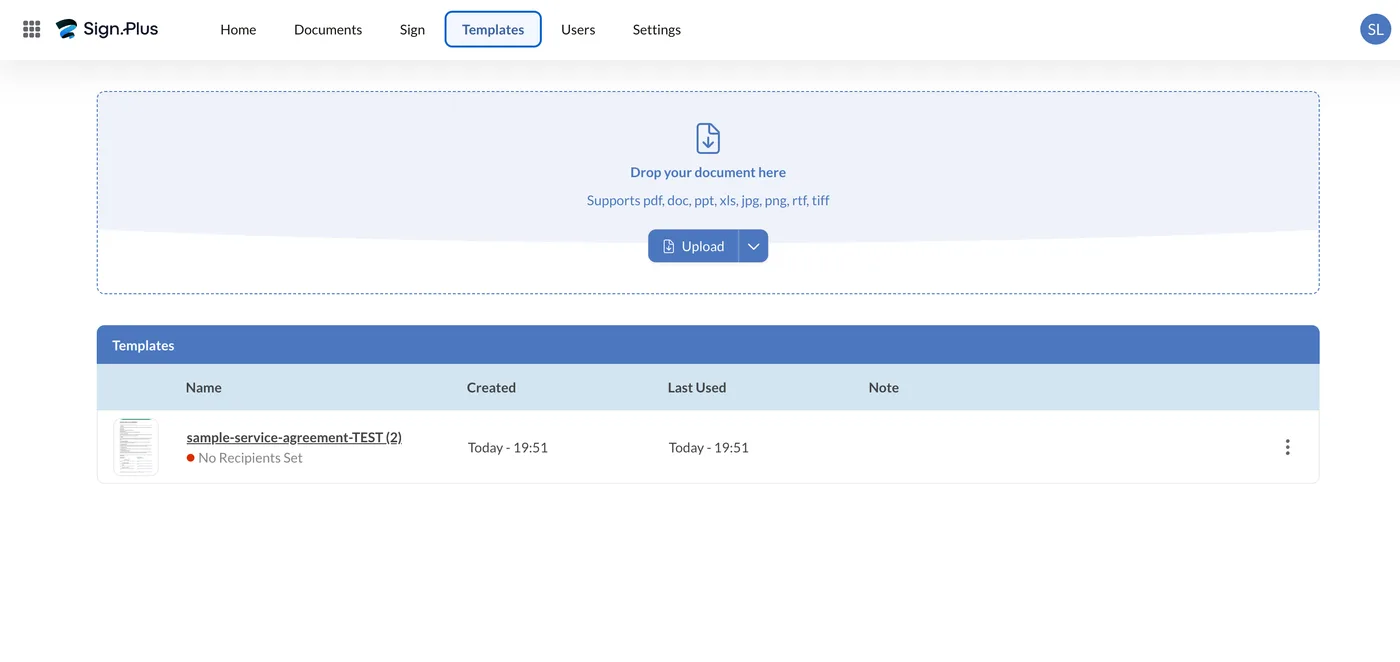
Sign.Plus comes from Alohi SA, the Swiss company behind Fax.Plus and Scan.Plus. It covers the basics well: upload a document, drop in signature fields, send it out, track who has signed. Most people get their first document sent without reading any documentation.
We put a stopwatch on it. Contract uploaded, three fields placed, out to our test signer in 97 seconds. There is no onboarding wizard and no demo call between you and the product.
The compliance matters more than the polish. Sign.Plus covers the ESIGN Act and UETA in the US, eIDAS in the EU, and ZertES in Switzerland. Swiss coverage is rare at this price, which is why Swiss legal and finance firms keep shortlisting it.
It runs in the browser, with native iOS and Android apps that stay in sync. Every paid plan includes Scan.Plus Pro, Alohi's mobile scanner, at no extra cost.
Who it suits
Freelancers, small agencies, boutique law firms and European startups that need real compliance without enterprise pricing. It fits best when you send a steady but moderate number of documents and care more about getting them signed than about wiring signing into a CRM.
Hands-On: Signing a Document
We tested the signing process end to end rather than describing the interface from marketing pages: a one-page service agreement, drawn up for the test, uploaded, signed by us, sent to a second party, and signed by them. Everything in this section is what we saw on screen.
Uploading and choosing a path
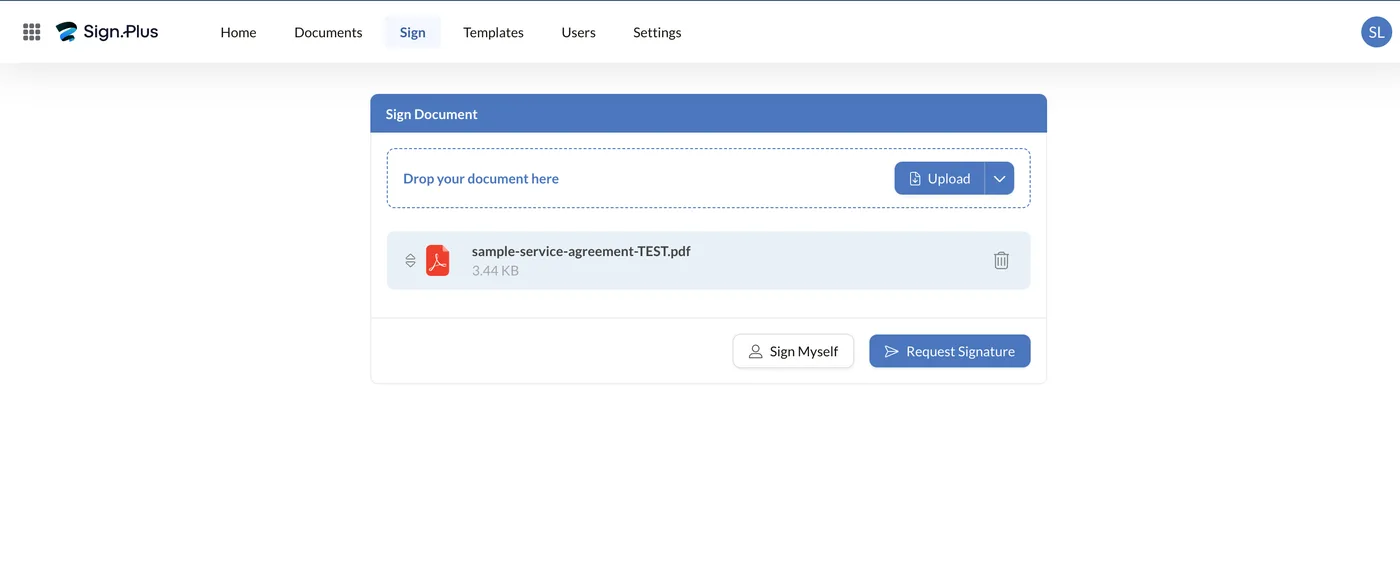
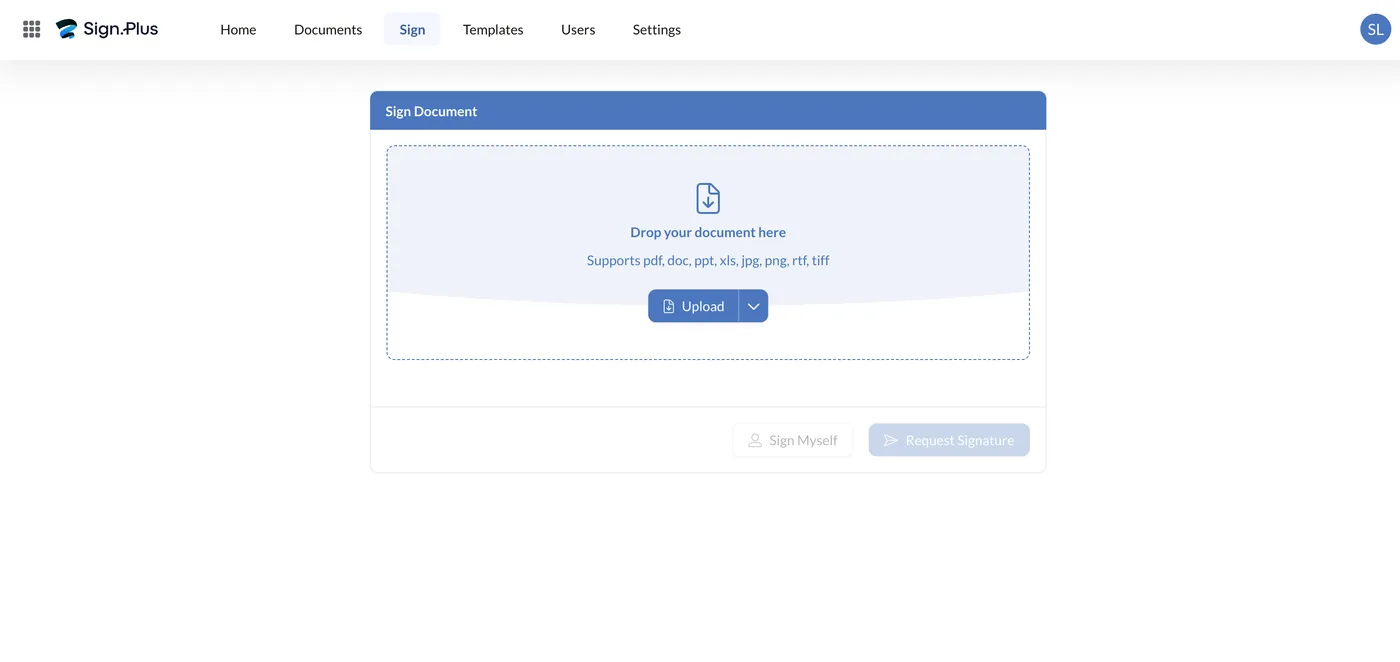
The Sign tab opens a single card with a drop zone that accepts PDF, DOC, PPT, XLS, JPG, PNG, RTF and TIFF. Once a file lands you get two buttons and no other decisions to make: Sign Myself or Request Signature. That fork is the entire information architecture, and it is a large part of why this platform tests well on ease of use: there is no envelope, project or workflow object to create before you can start.
Signing it yourself
Sign Myself opens the editor directly. The field rail offers Signature, Initials, Date, Text and Checkbox; you drag one onto the page and it becomes editable in place.
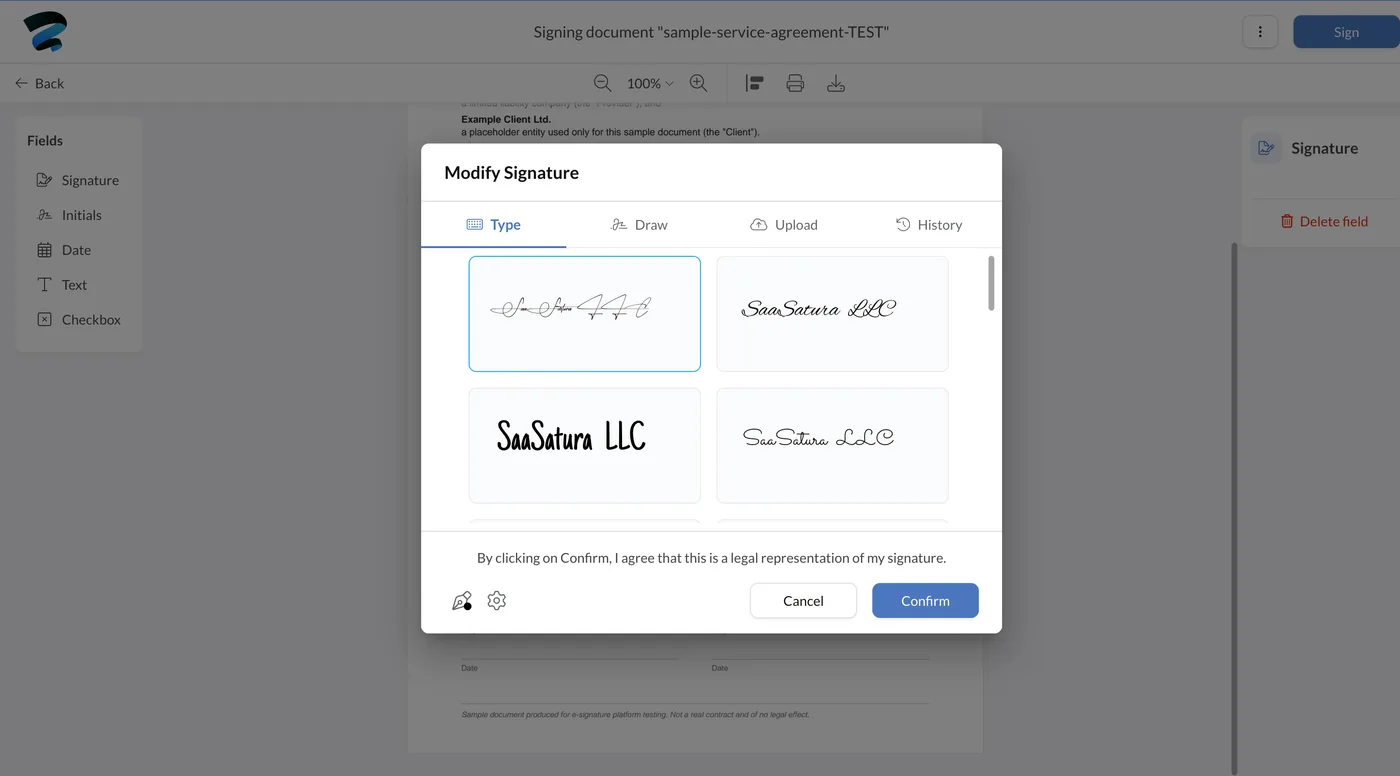
The signature dialog has four tabs: Type, Draw, Upload and History. Type generates several handwriting styles from your name, with pen color and thickness controls tucked into the corner. History reuses a signature you have already created, which matters more than it sounds if you sign regularly. Above the buttons sits the consent line: “By clicking on Confirm, I agree that this is a legal representation of my signature.”
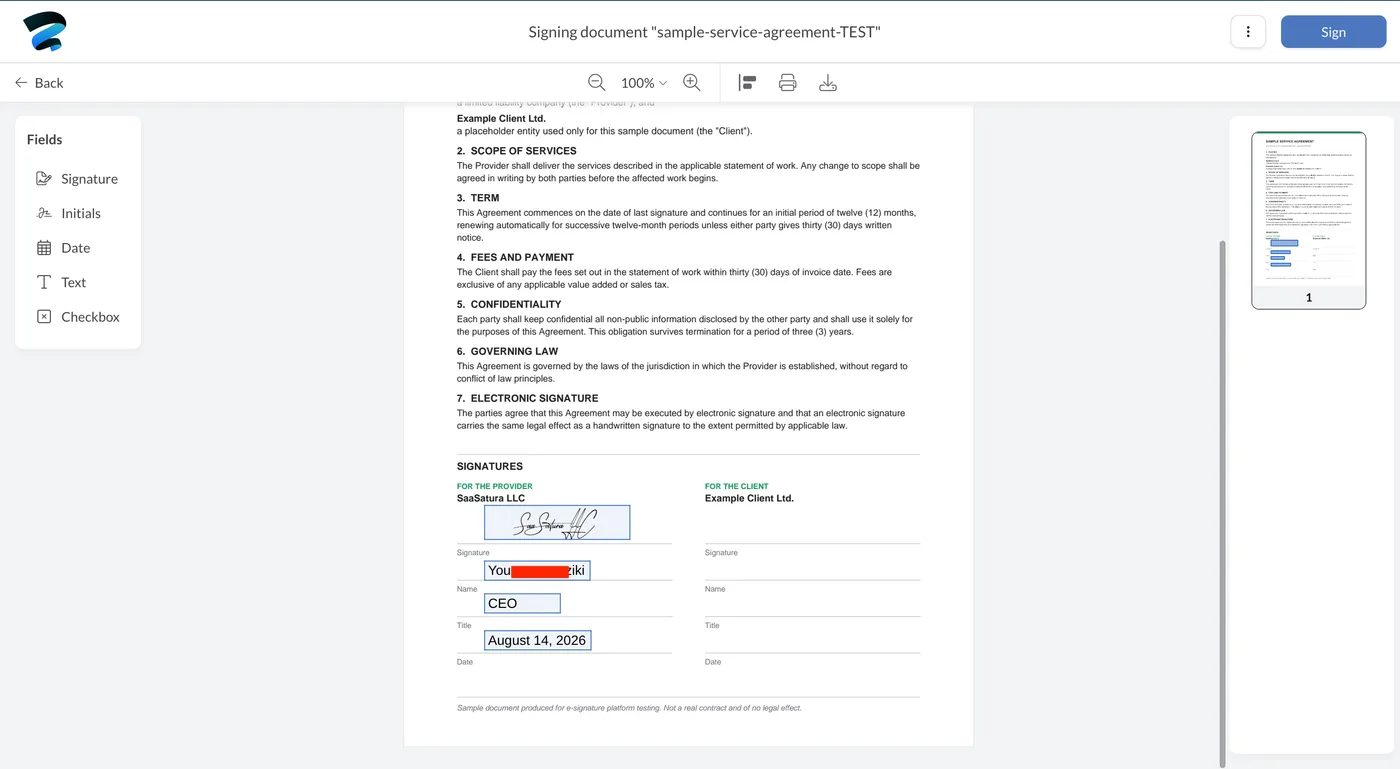
Placing the remaining fields took under a minute. Fields snap to where you click rather than to a rigid grid, so lining a signature up with a printed rule on the page is quick.
Requesting a signature from someone else
The other path is a four-step wizard: Add Documents → Add Recipients → Add Fields → Review, with the progress bar visible throughout.
Each recipient takes a name, an email and a role: Needs to Sign, Receives a Copy or Signs in Person. Add Signing Step creates sequential routing, so a second signer is only emailed once the first has finished. That is a real workflow feature, and it is available without an enterprise contract.
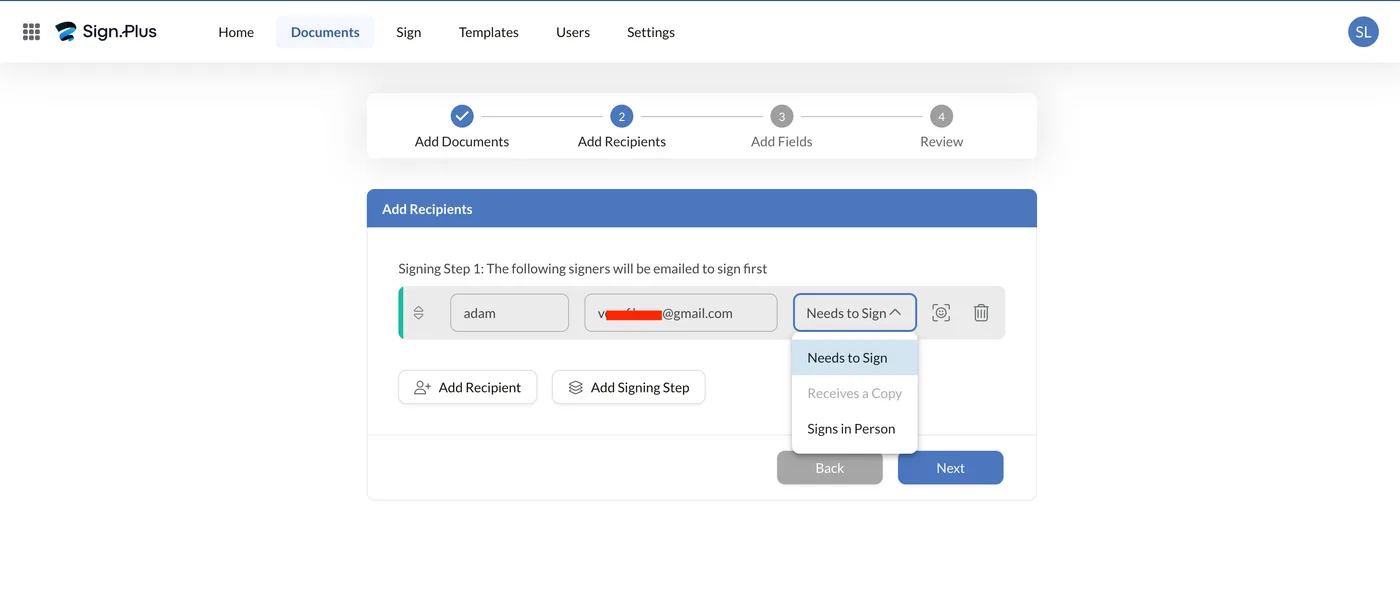
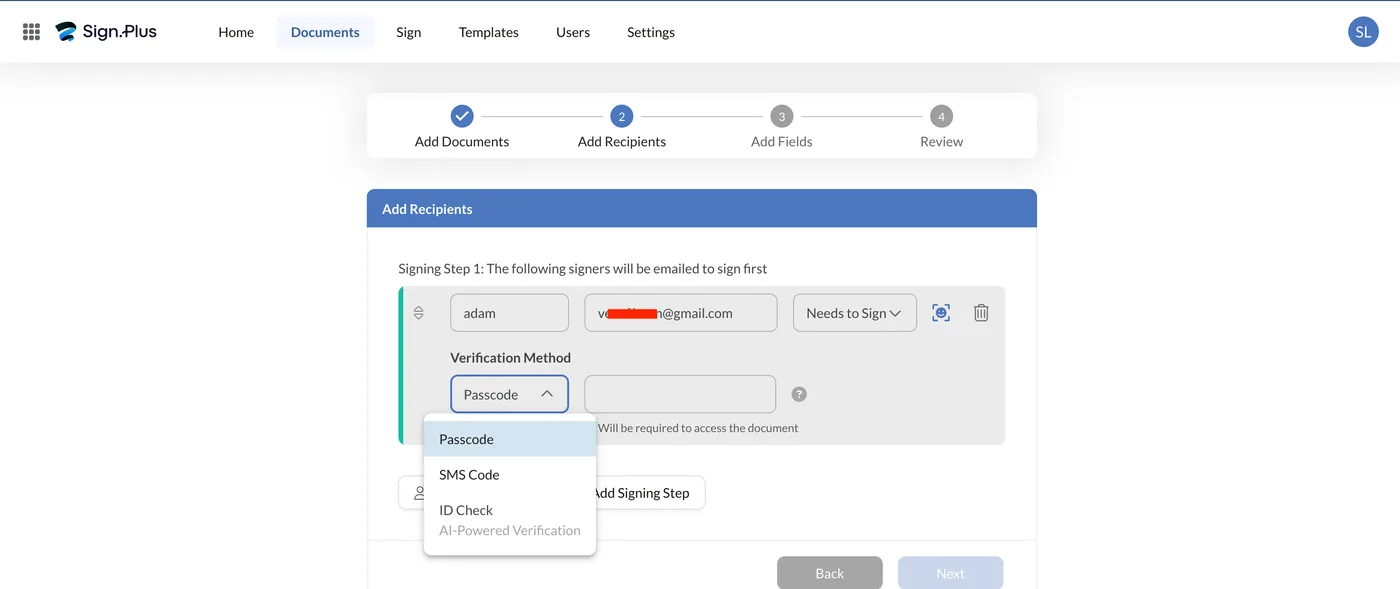
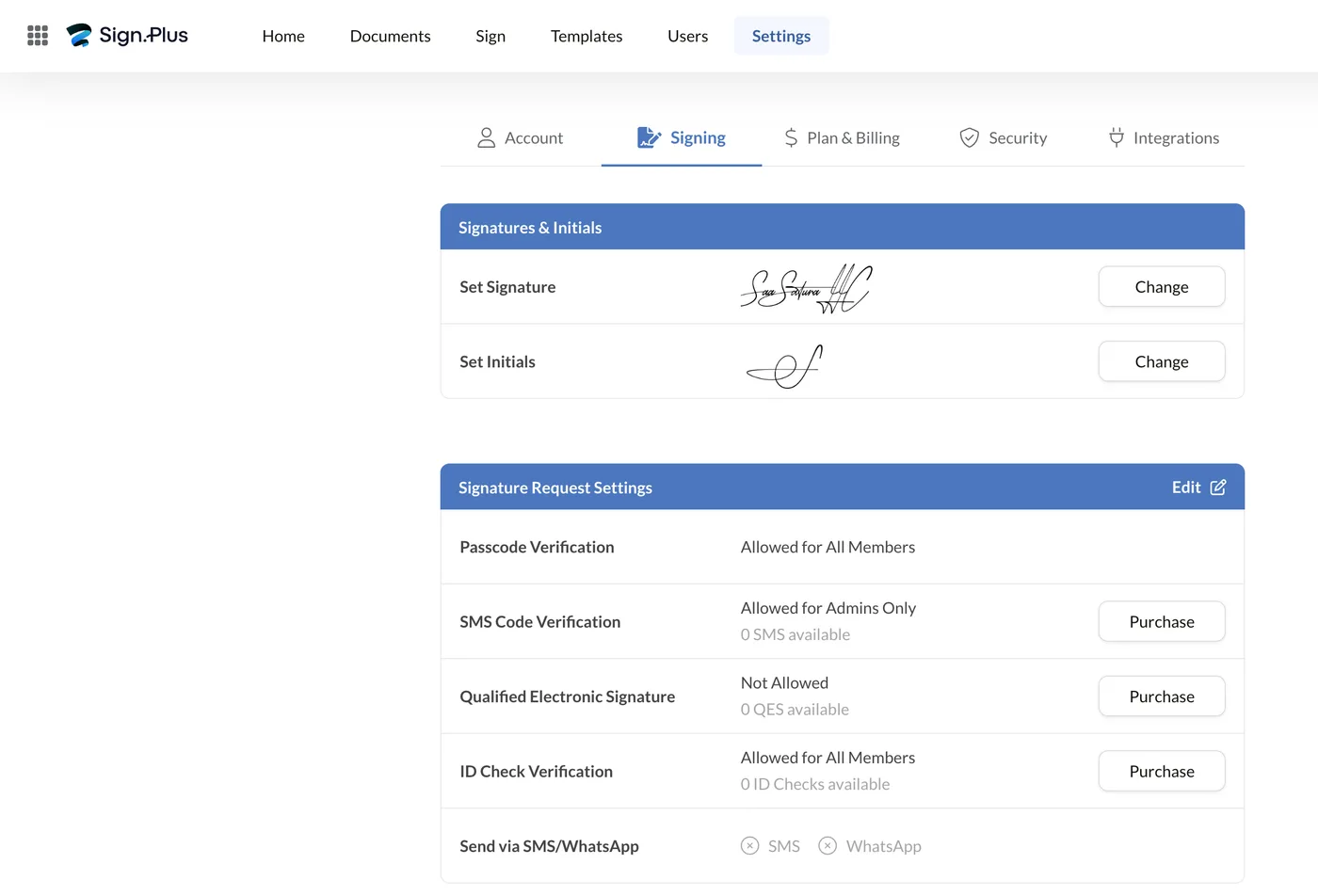
Per-recipient identity verification is offered here: Passcode, SMS Code, or an ID Check the interface describes as AI-powered, with the note that it “will be required to access the document.” The dropdown shows all three to any account, but that is not the same as having them. Under Settings, only passcode verification is genuinely included; SMS code and ID check run on prepaid credits you buy separately, and an account that has not bought any shows a balance of zero. Priced from the in-product purchase screens: SMS at $0.30 per message and ID checks at $2.00 each. Budget for them as consumables rather than assuming the dropdown means included.
Placing fields for the other party
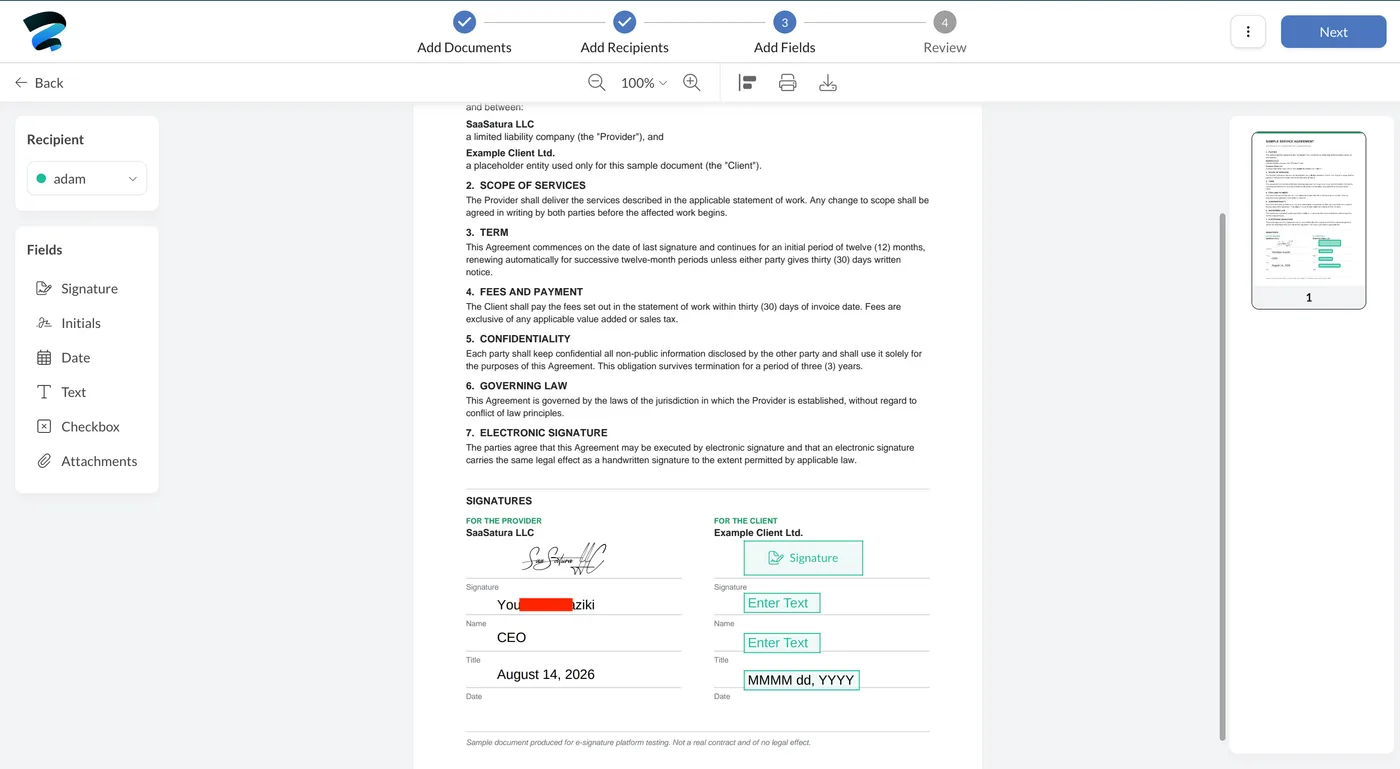
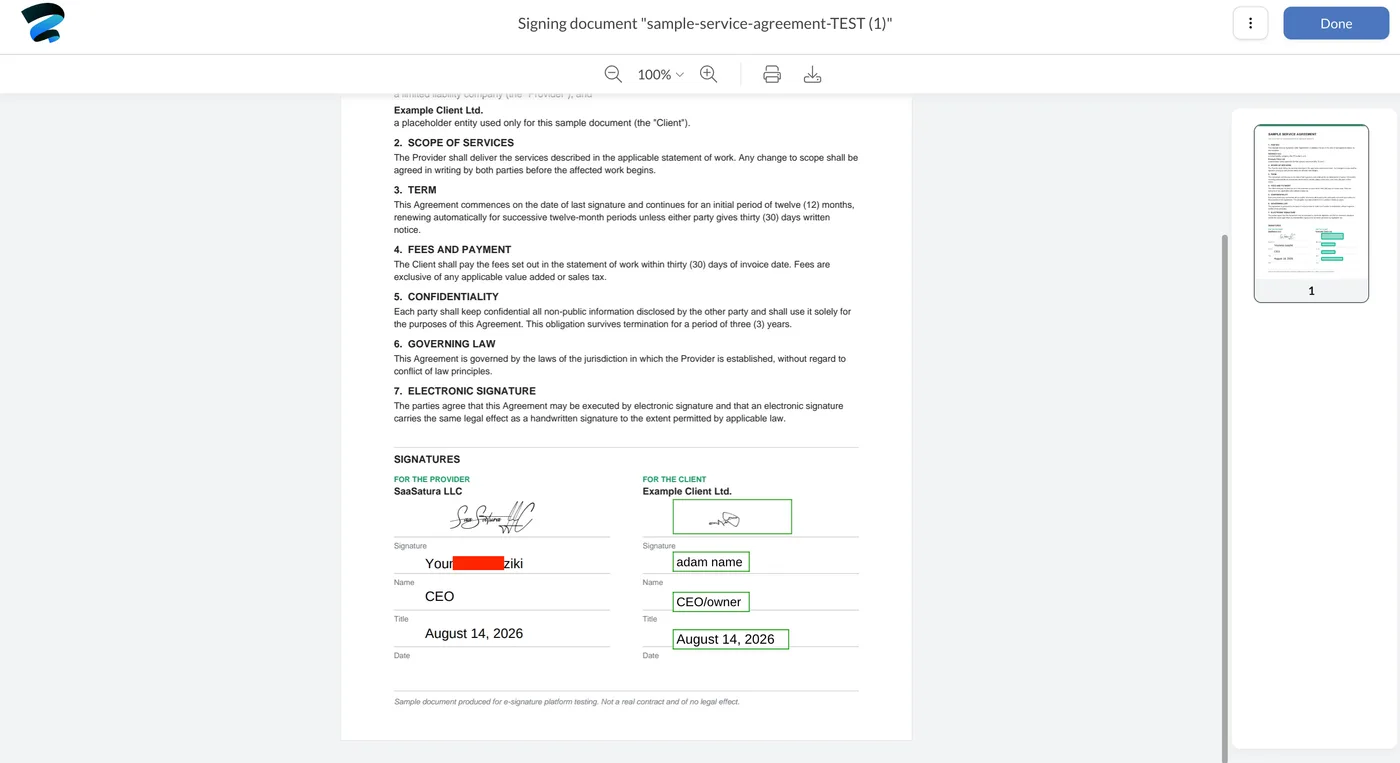
Step three color-codes fields by recipient. Our own fields were already filled from the earlier pass; the client’s appeared as green placeholders. Date fields carry a format hint (MMMM dd, YYYY) so the signer cannot guess wrong, and this step adds an Attachments field the self-sign path does not offer, useful when you need an ID or a certificate returned alongside the contract.
The send step
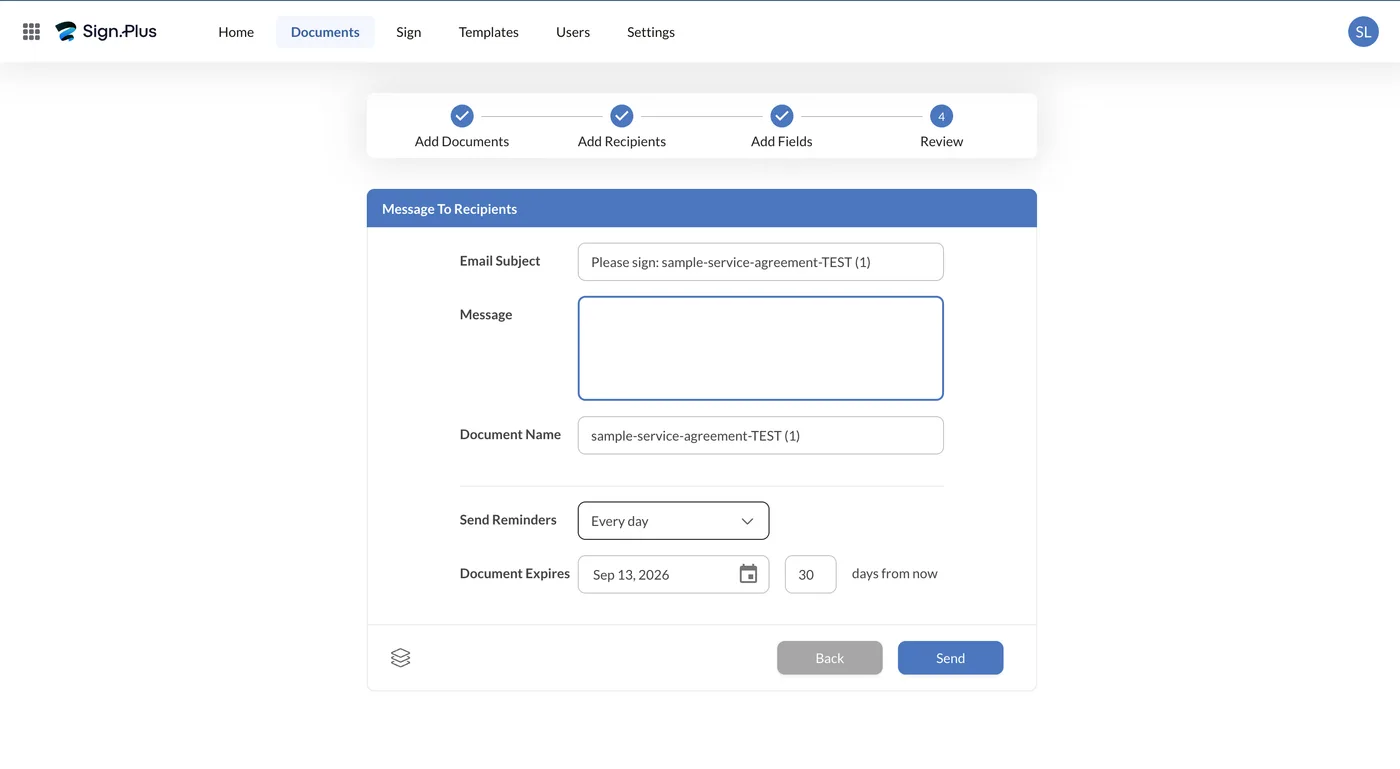
Review pre-fills the subject line as “Please sign: [filename]” and surfaces two settings that quietly decide whether an agreement closes: Send Reminders, which we left on daily, and Document Expires, defaulted to 30 days. Both are defaults here rather than options you have to go looking for.
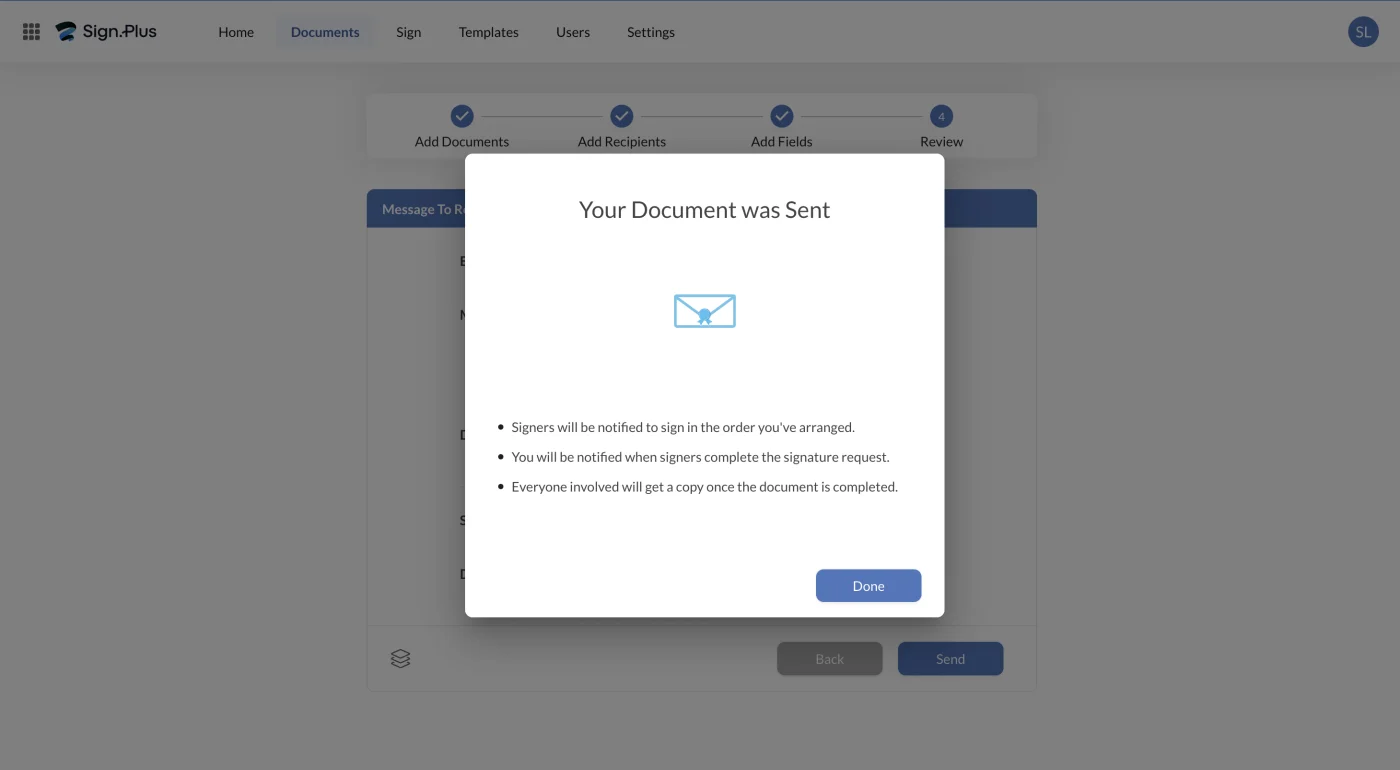
Sending closes with a confirmation that states the mechanics rather than just saying done: signers are notified in the order you arranged, you are notified as each one finishes, and everyone involved receives a copy once the document completes.
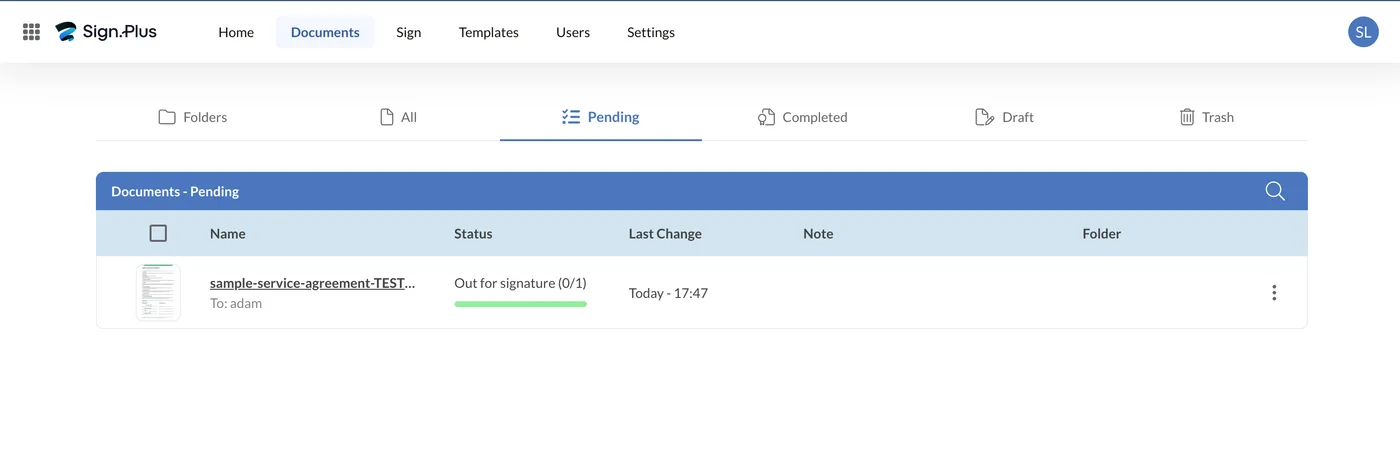
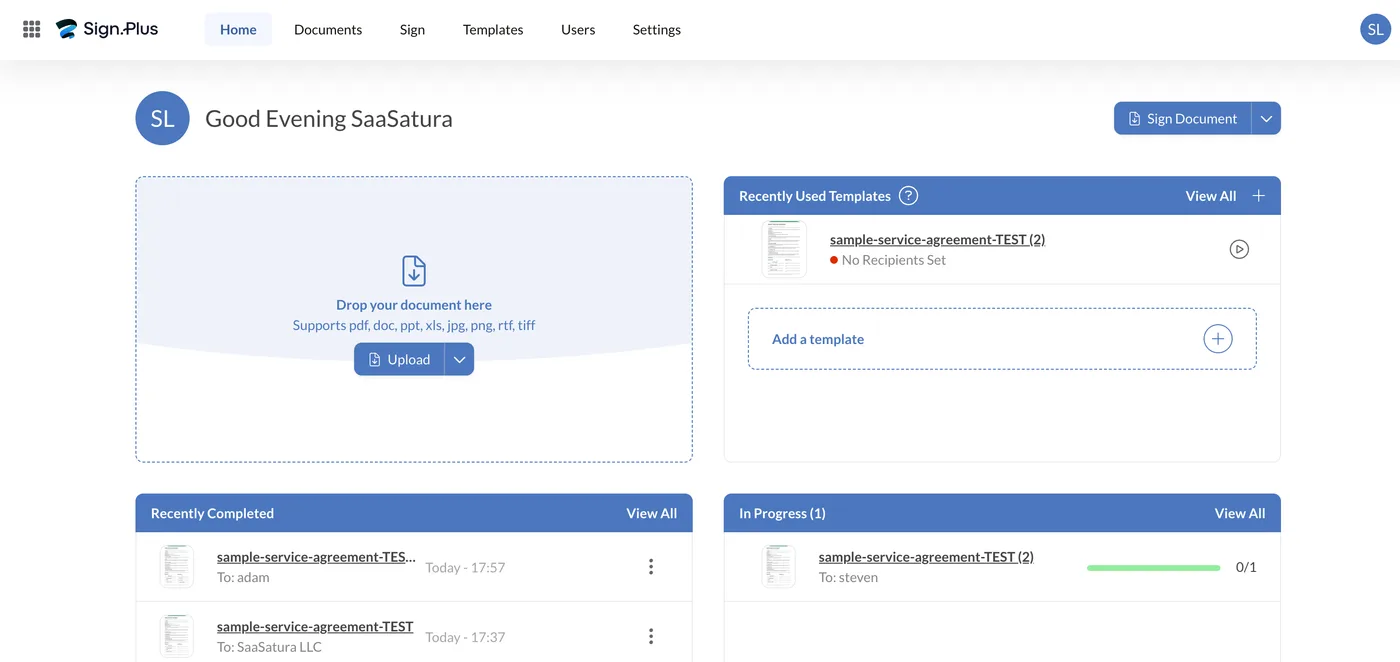
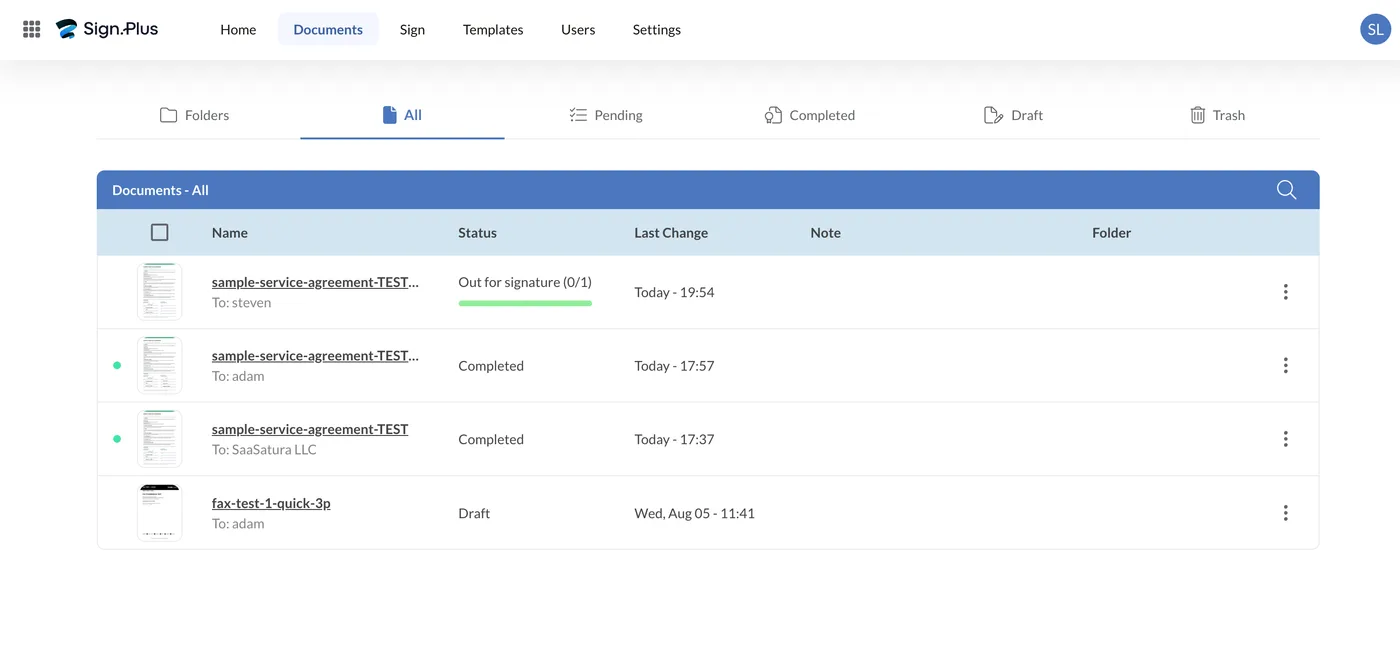
After sending, the document appears under Pending as “Out for signature (0/1)” with a progress bar and the recipient name. The Documents area splits into Folders, All, Pending, Completed, Draft and Trash.
What the signer sees
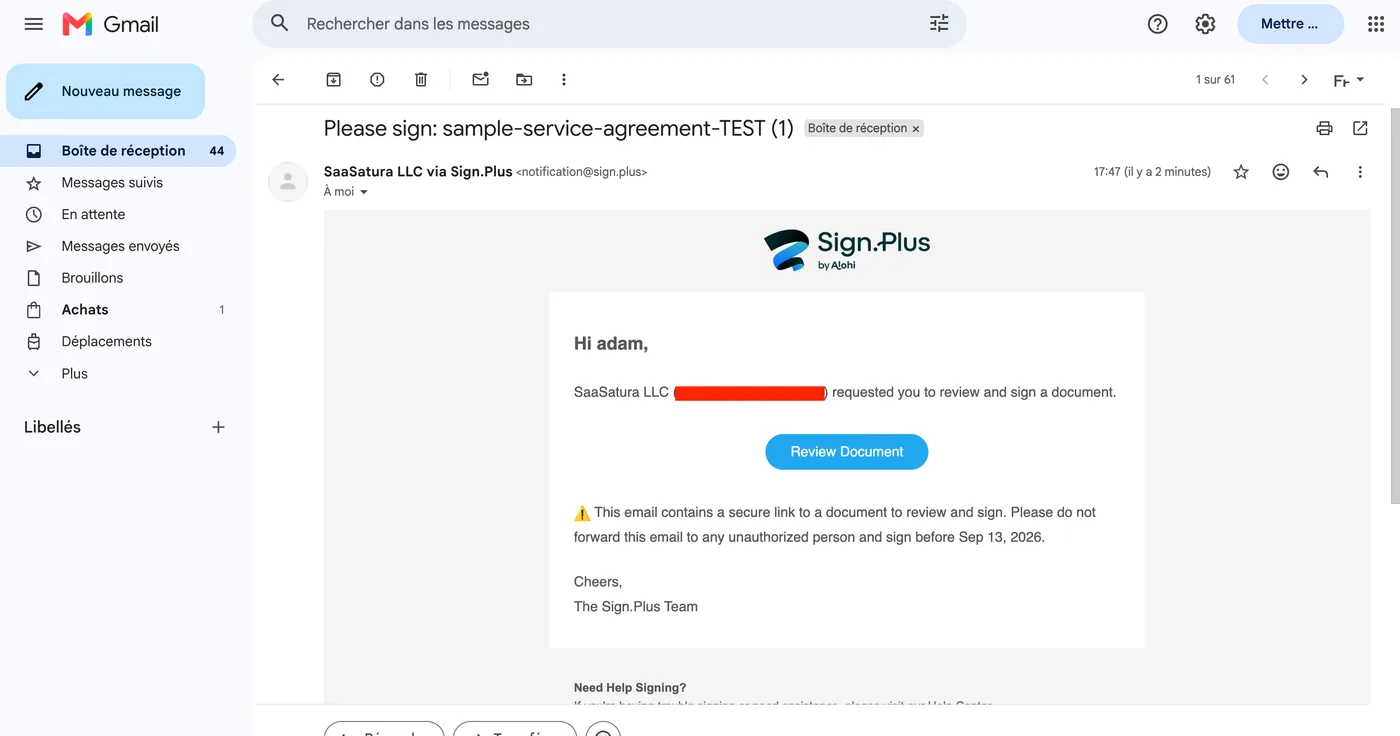
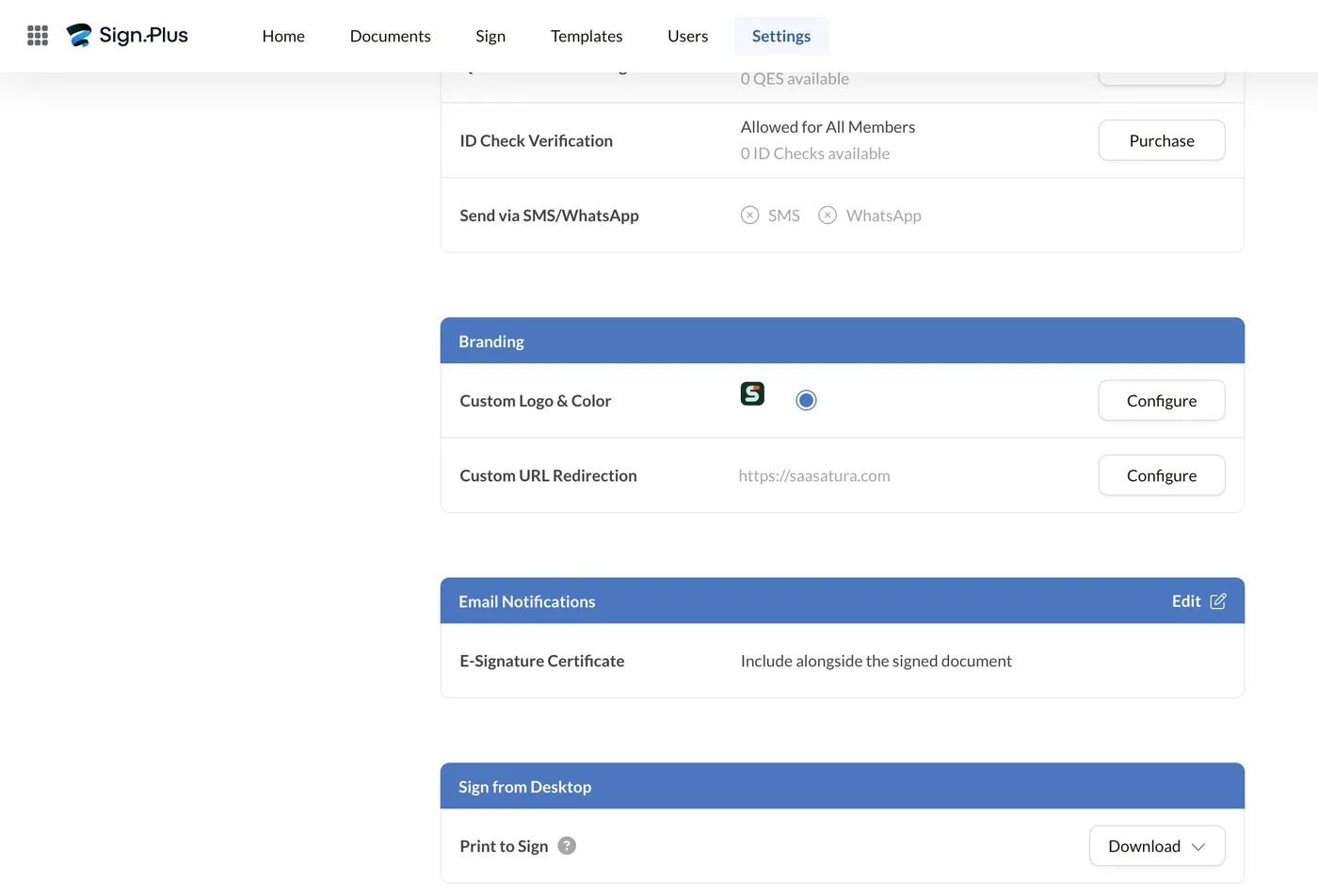
The request arrives from notification@sign.plus, subject-lined with the document name, carrying a Review Document button, the sender’s name, a warning not to forward the secure link, and the expiry date in the body. The email is Sign.Plus-branded rather than sender-branded; custom branding is a paid-tier feature.
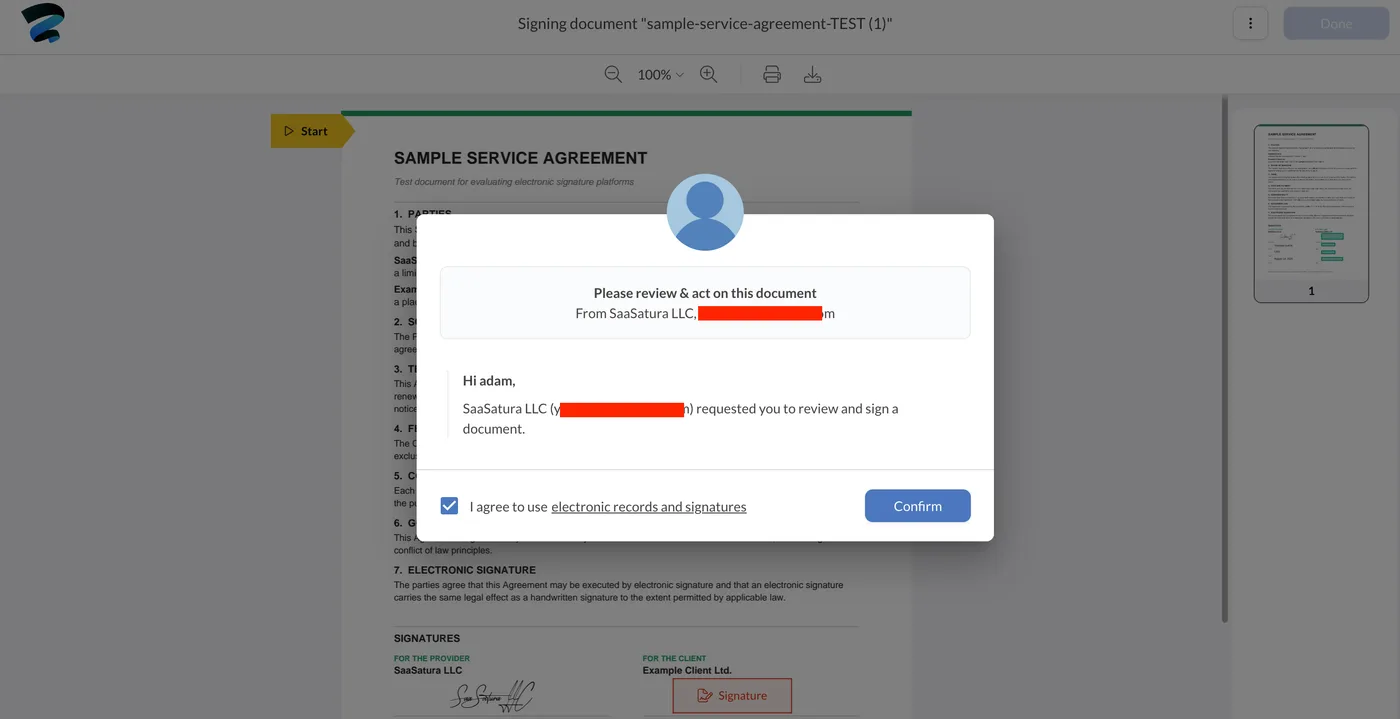
Opening it presents a consent gate before anything else: a checkbox reading “I agree to use electronic records and signatures”, which the signer must accept to continue. This is the ESIGN and eIDAS consent step, and putting it first is the correct order.
The signature dialog the signer opens is the same one the sender used, with all four tabs rather than a cut-down guest version. From there a yellow Start marker points at the first empty field and walks the signer through the rest. Our test signer, who had never used Sign.Plus, completed signature, name, title and date without any instruction from us.
Completion
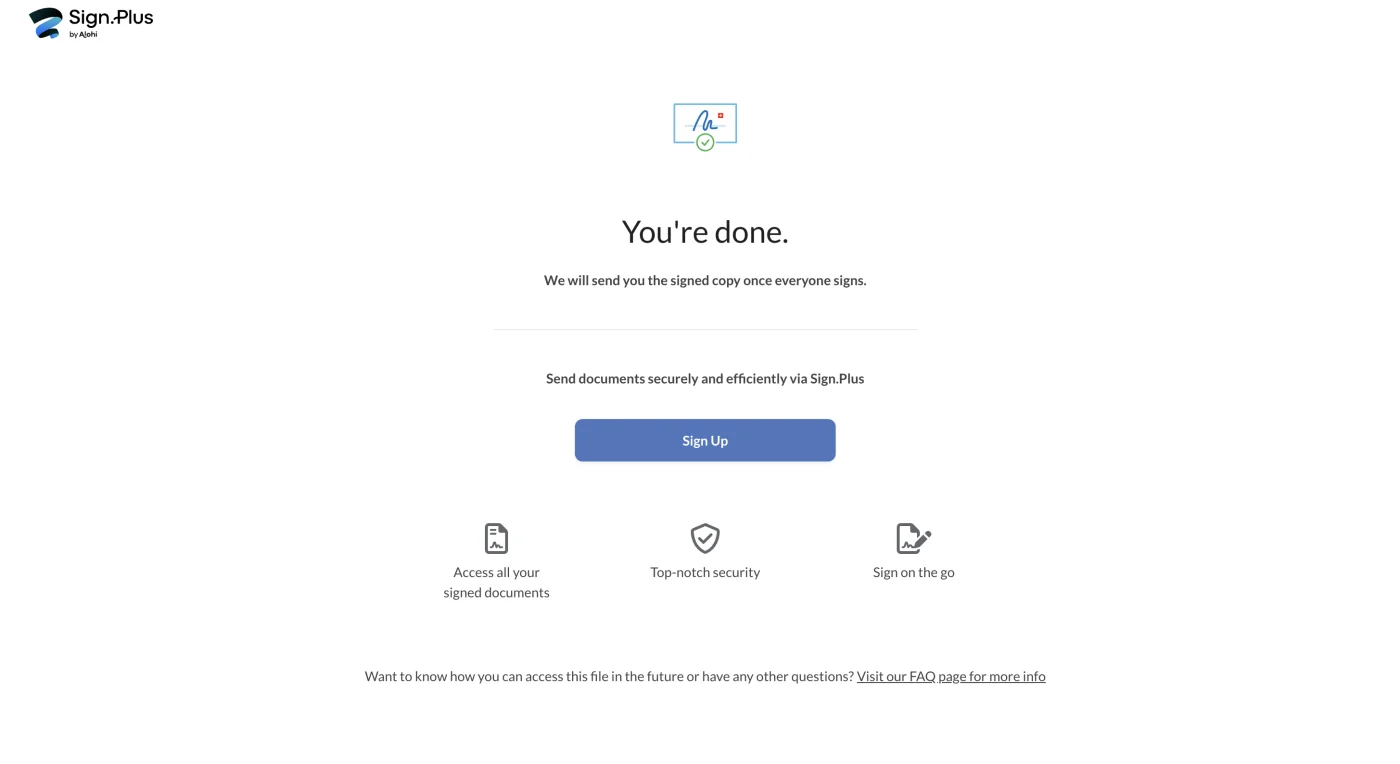
The signer lands on a confirmation reading “You’re done. We will send you the signed copy once everyone signs.” That is the end of their involvement; they are never asked to create an account.
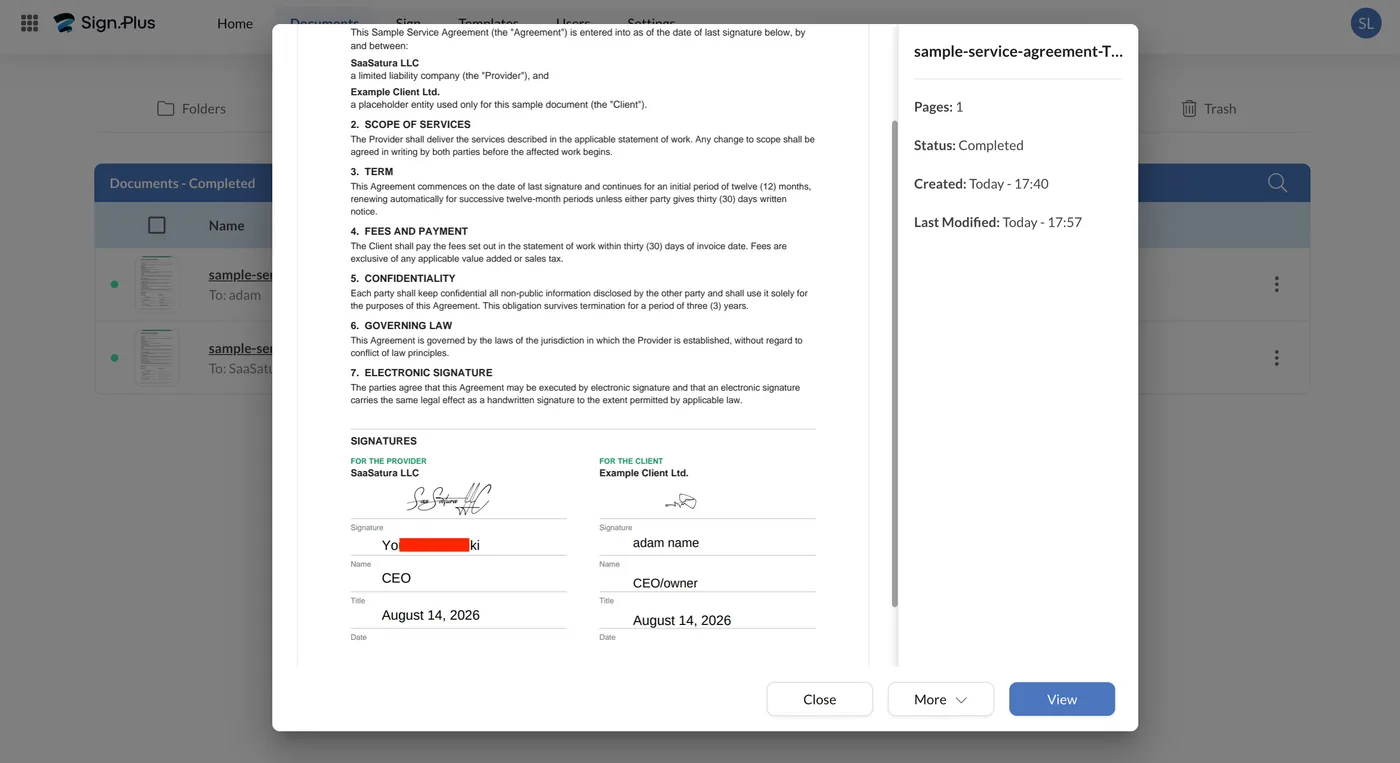
On the sender side the document moves to Completed. Opening it shows both signatures in place, and a detail panel with page count, status, and created and last-modified timestamps.
Our test signer reached the end without once asking us what to do. That is a narrow observation from a demo contract rather than evidence about what live use demands, but it does show a flow a first-time signer can follow unaided, and that is what the ease-of-use score reflects.
How qualified signatures are actually sold
We signed this document with a standard electronic signature. The qualified electronic signature (QES), the tier that carries the same legal weight as a handwritten signature across the EU, and the reason most European buyers shortlist this platform, is not bundled into any plan. It is a prepaid consumable bought separately through Stripe, and an account that has not bought credits shows QES unavailable with a zero balance.
The purchase screen prices it at $50 for 10 credits and $5,000 for 1,000. Those two points sit on the same straight line: $5.00 per qualified signature at every quantity, with no volume discount at all. A thousand qualified signatures cost exactly one hundred times what ten cost.
That reframes the cost comparison for anyone signing qualified documents regularly. A five-person team on Professional at roughly $19.99/user/month pays about $1,199 a year in seats; add 100 qualified signatures and the real figure is roughly $1,699. It also changes the competitive picture: Skribble sells qualified signatures from €5 pay-per-use but includes an annual quota on its Team and Pro plans and then charges €4.50 and €4 beyond it, so Skribble gets cheaper per signature as volume rises while Sign.Plus stays flat at $5 forever. For occasional qualified signing the two are close; at volume Skribble is the cheaper route. Model your own qualified volume with the cost calculator before committing, because the seat price alone will understate what you actually pay.
A Look Inside the Interface
Key Features
Swiss and EU qualified signatures, supported natively
Sign.Plus issues QES under both Swiss ZertES and EU eIDAS through Swisscom Trust Services, which is rare at this price. Budget for it separately though: QES is not bundled into any plan. It is a prepaid credit at $5 per signature, and that holds on Enterprise too, where signature requests are otherwise unlimited. It also changes the recipient's journey: a QES document sends the signer to Swisscom for an identity check before they can sign.
HIPAA with a signed BAA at small-business pricing
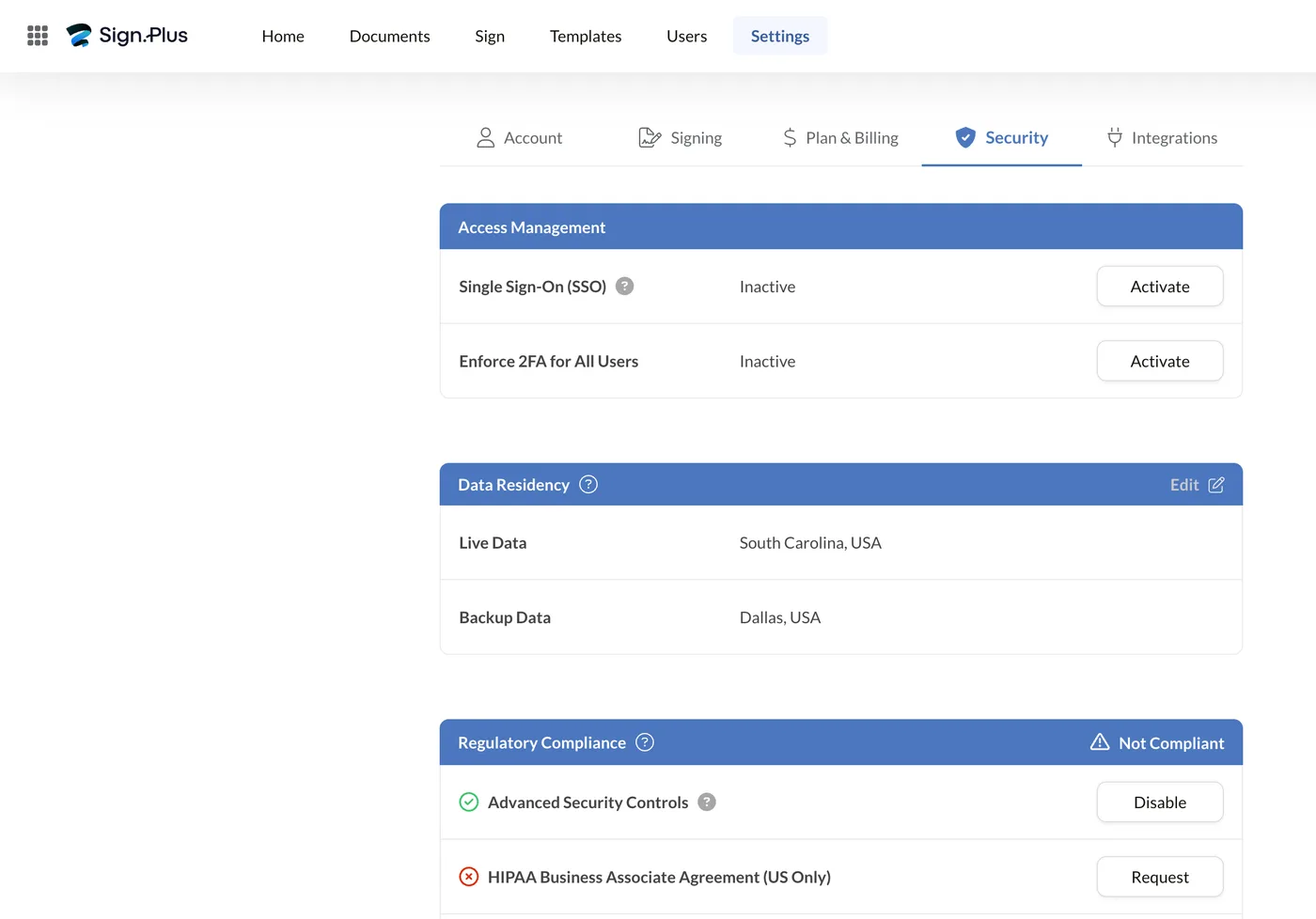
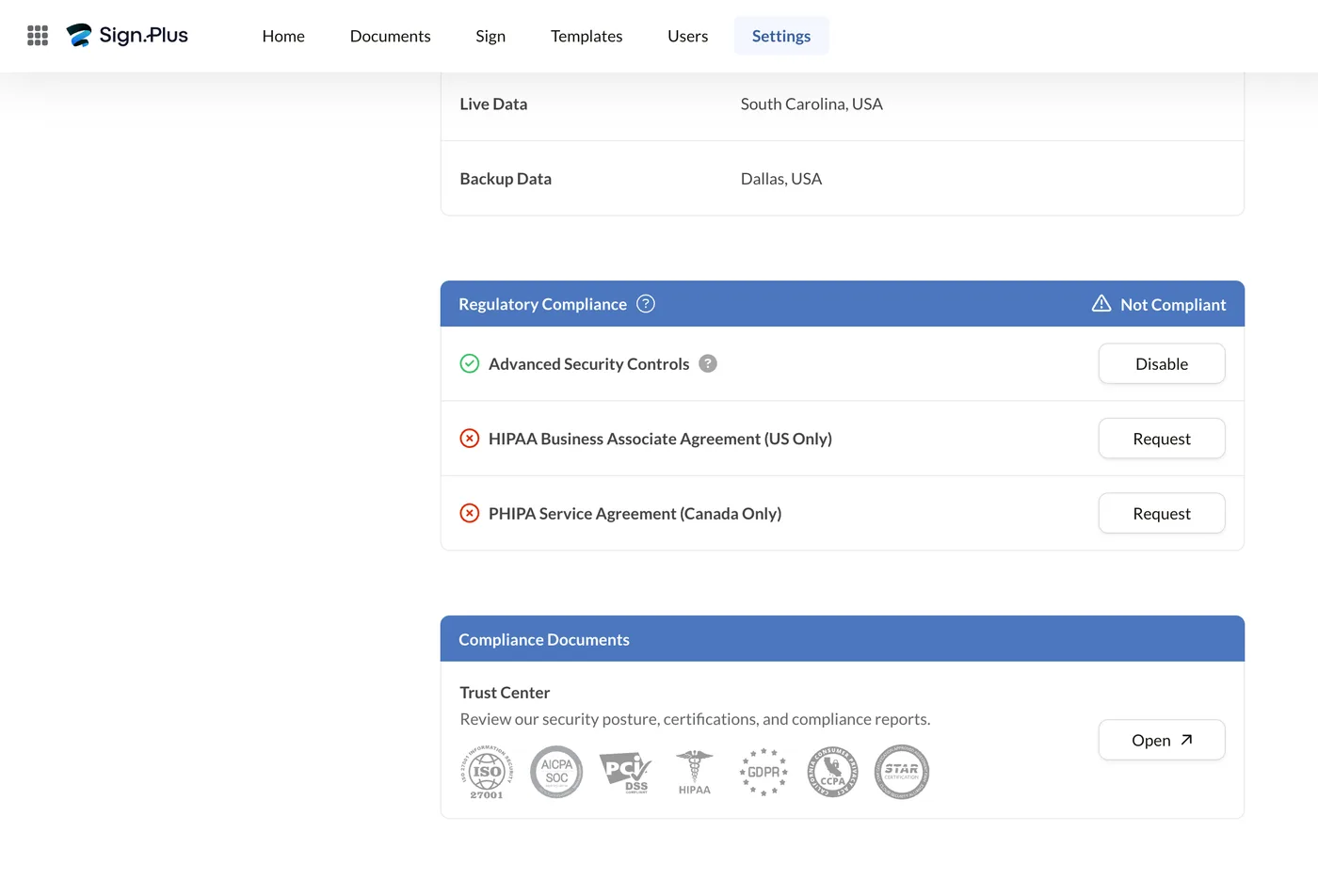
Enterprise carries HIPAA with a signed BAA at $49.99 per user per month on annual billing. That is the cheapest published route to a BAA among the platforms we test, where DocuSign and Adobe both steer healthcare buyers into quote-only tiers. The agreement is request-based, so the compliance panel reads as non-compliant until you ask for it.
Data residency in 22 regions, two of them Swiss
You choose where documents are stored from 22 regions across the Americas, Europe and Asia Pacific, with Geneva and Zurich alongside Frankfurt, London, Finland, Belgium and the Netherlands. Switzerland is the default. Very few competitors at this price let you pin storage to a named country at all.
In-person signing on a shared device
From Professional upward you can hand a laptop or tablet to someone standing in front of you, collect a handwritten signature on the spot, and have the signed copy and its certificate filed automatically. It suits clinics, leasing offices and anyone who signs across a counter rather than by email.
Apps on every platform, and they stay in sync
Web, iOS and Android stay in sync, so a document started on a laptop can be signed from a phone without anything falling out of step. Desktop signing is covered through Print to Sign. For teams that sign on the move rather than at a desk, this is the part that gets used daily.
Pricing
Sign.Plus publishes its prices openly, with no sales call needed to see a number. One detail catches most buyers out: the figures on the pricing page are the annual rates. Pay month to month and every plan costs more, so both columns are below.
| Plan | Monthly billing | Annual billing | Signature requests | Highlights |
|---|---|---|---|---|
| Free | $0 | $0 | 3 total | 1 template, 1 user, no card required |
| Personal | $14.99 | $9.99 | 10/month | 1 user, 5 templates, Scan.Plus Pro included |
| Professional | $29.99/user | $19.99/user | Unlimited | Up to 5 users, 10 templates, in-person signing |
| Business | $49.99/user | $29.99/user | Unlimited | Unlimited templates, Zapier, custom branding |
| Enterprise | $79.99/user | $49.99/user | Unlimited | SSO, HIPAA BAA, data residency, priority support |
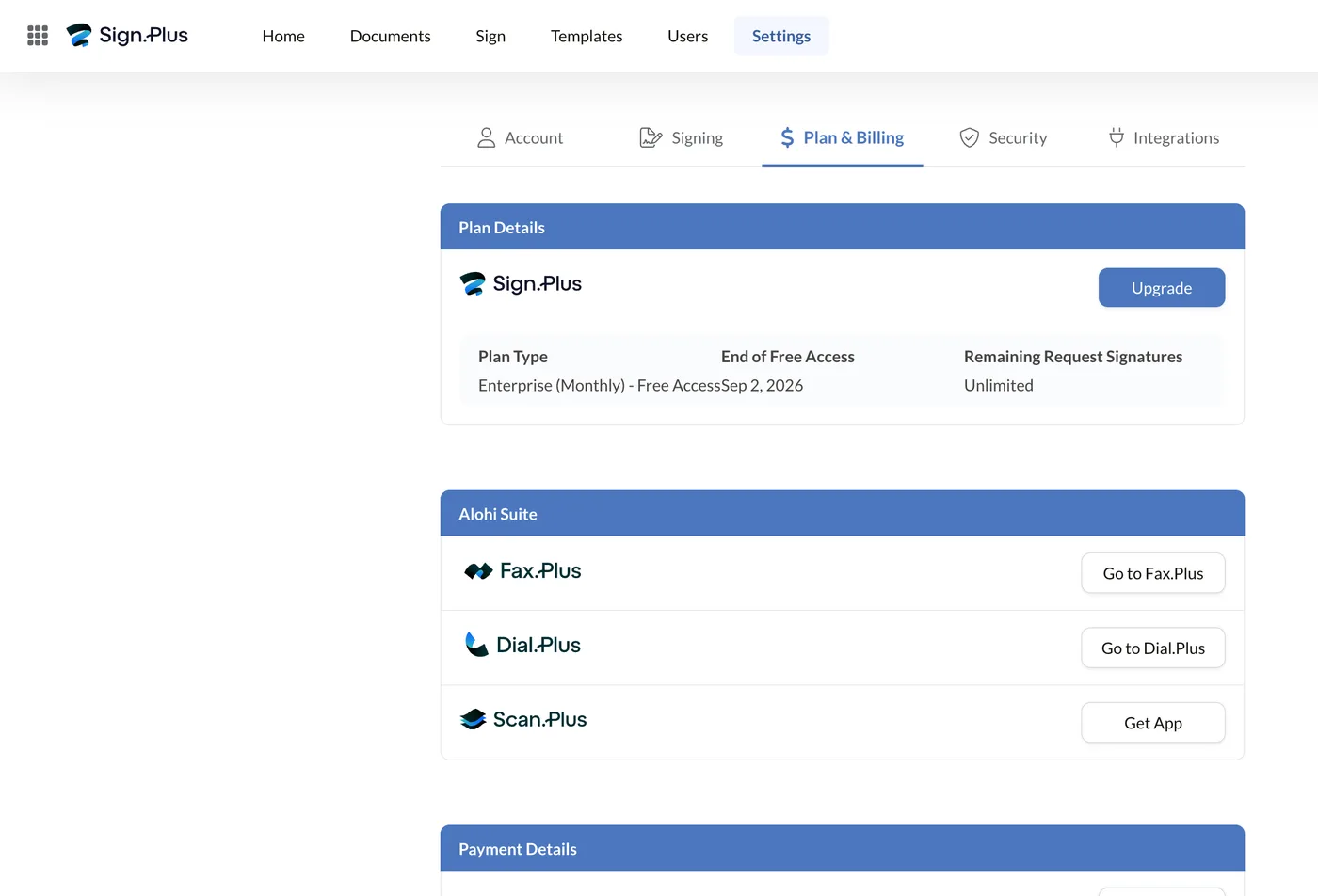
Annual billing saves up to 40% on Business, and every paid plan includes Scan.Plus Pro.
One cost the table does not show. Some advanced signing and verification features run on prepaid credits rather than the plan allowance: qualified signatures, SMS verification and ID checks. A QES is $5, so 100 qualified signatures a year adds $500 to the subscription.
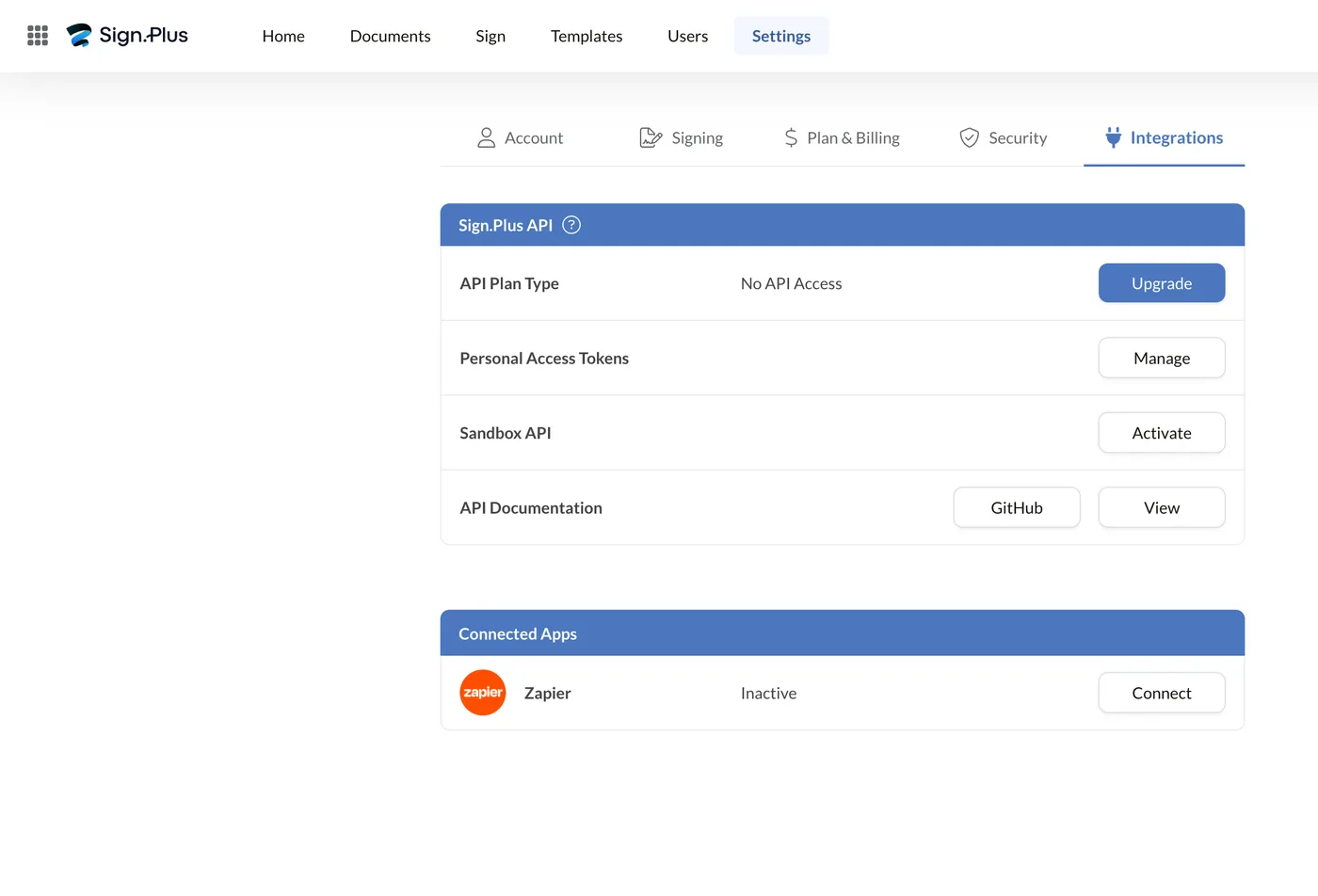
Sign.Plus Developer API
The Developer API is a separate Sign.Plus product with its own plans and its own pricing page. You do not need it to use any of the eSignature plans above.
It is aimed at teams embedding signing into their own product or back office. It has a monthly and an annual column of its own, though the annual discount is far smaller here than on the eSignature side.
| API plan | Monthly | Annual | Signature requests |
|---|---|---|---|
| Essential | $79.99 | $75.99 ($911.99/yr) | 50/month |
| Grow | $299.99 | $279.99 ($3,359.99/yr) | 200/month |
| Scale | $719.99 | $659.99 ($7,919.99/yr) | 600/month |
| Enterprise | Quoted | Quoted | High volume |
Paying yearly saves between 5% and 8% depending on the tier, so it is a much thinner discount than the 40% on the eSignature plans.
Check where the gates sit before picking a tier. Custom branding and SMS authentication start at Grow. HIPAA and webhooks are Enterprise only, so a webhook-driven integration puts you on the quoted plan whatever your volume. Templates ladder with the tier as well: five on Essential, ten on Grow, unlimited from Scale. All four list SES, AES and QES as available signature levels.
Documentation, a sandbox and access tokens are available before you buy, so the API can be tested without a plan.
Security & Compliance
Sign.Plus is built under Swiss data protection law, and Alohi holds ISO/IEC 27001 and SOC 2 certifications. Both are independently audited rather than self-declared.
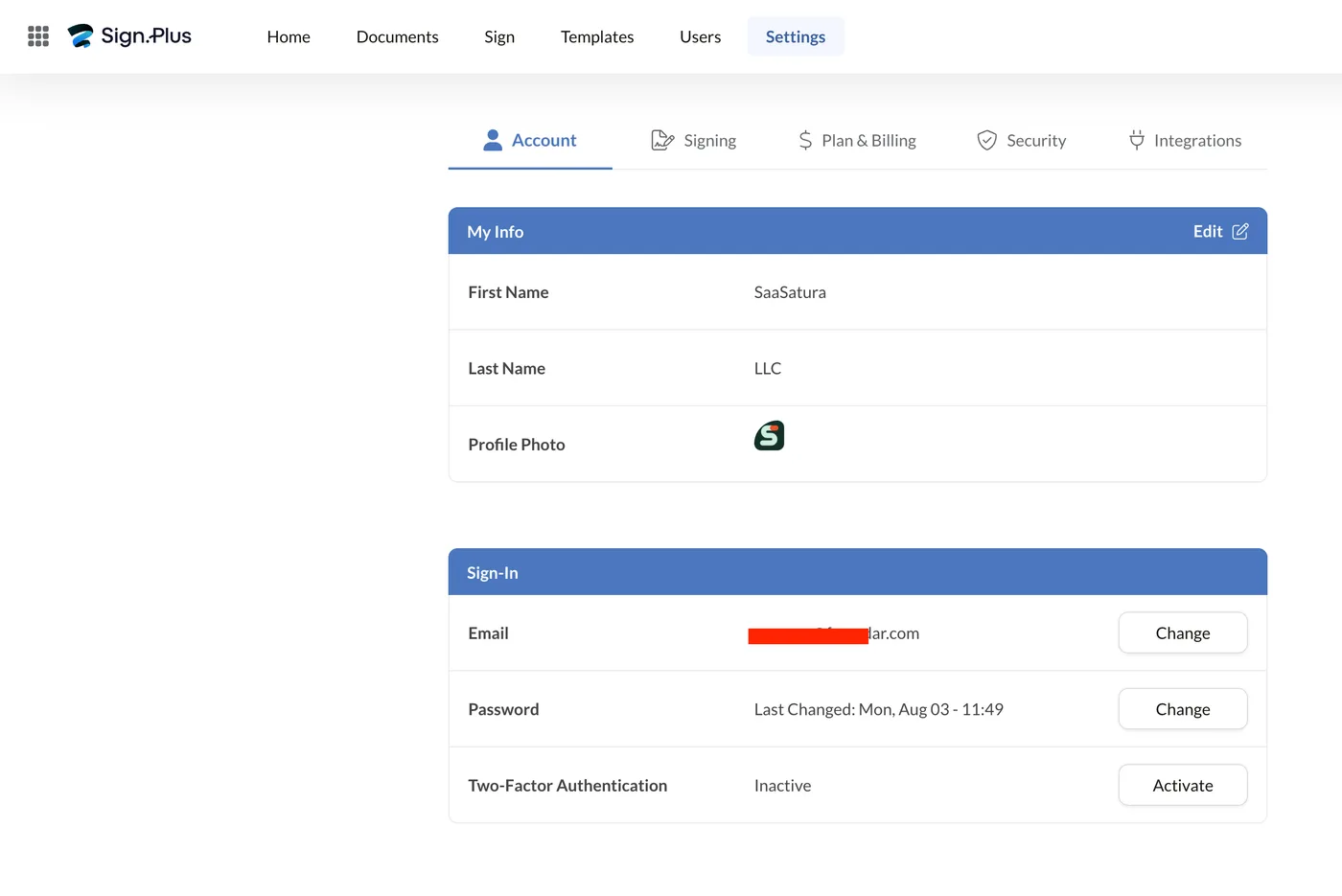
Documents are encrypted with AES-256 at rest, using a separate key per user instead of one shared key, and TLS 1.3 in transit. Two-factor authentication is available on every plan but is off by default, so switch it on before you send anything real.
Coverage is broad for the money: HIPAA with a signed BAA on Enterprise, plus GDPR, CCPA and PCI-DSS. HIPAA and PHIPA are request-based, so the compliance panel stays empty until you ask Alohi to put the agreement in place.
Data residency is the standout. You pick from 22 regions, Geneva and Zurich among them, with Switzerland as the default. That answers the Schrems II question directly for EU firms, and the Swiss default covers companies bound by the revised FADP. Few competitors at this price let you choose a country at all.
Every completed signature produces an audit trail and a separate certificate of completion: a signed PDF you file yourself. Your evidence does not depend on keeping a Sign.Plus account open.