Walk into any procurement conversation about contract signing software and you will hear the terms electronic signature and digital signature used as synonyms. They are not. The mistake is widespread enough that even vendor websites get it wrong, and the confusion causes real procurement errors when buyers think they are getting a stronger evidentiary record than they actually are.
This guide unpacks the actual difference: where the line falls between the two terms, what each one means at the level of law and at the level of cryptography, and what it means for which platform you should put your business on. Once you understand the distinction, the rest of the eSignature category gets meaningfully simpler.
The quick answer
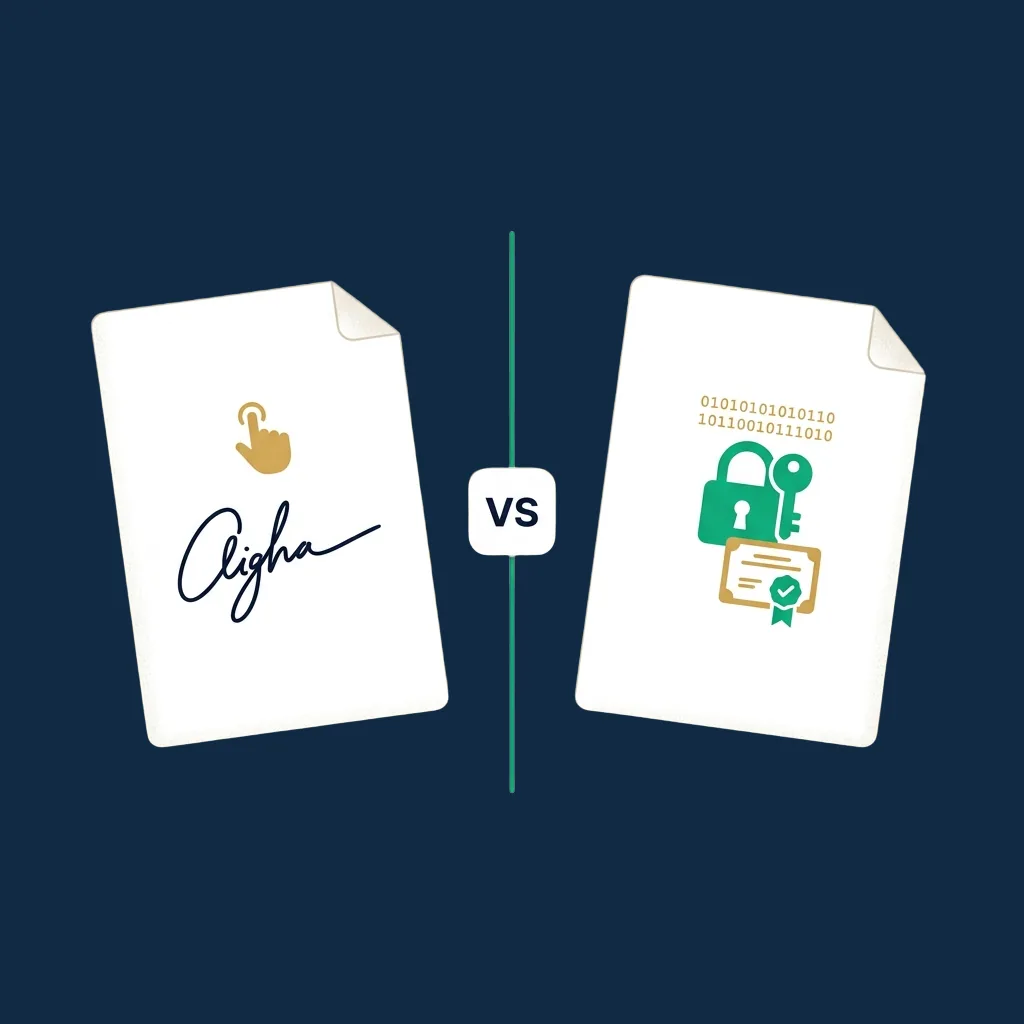
An electronic signature is a broad legal concept: any electronic mark a person attaches to a document to express intent to sign. A typed name, a clicked checkbox, a drawn squiggle on a touchscreen, an email approval: all qualify under most jurisdictions' baseline definition.
A digital signature is a specific cryptographic technique: a hash of the document encrypted with the signer's private key, verifiable by anyone holding the matching public key. It produces mathematical proof of integrity and signer identity that no other method matches.
Every digital signature is also an electronic signature. The reverse is not true.
Think of "electronic signature" as the legal category and "digital signature" as one specific implementation. Drawing your name on a touchscreen is an electronic signature. Signing a PDF with a certificate from a trusted authority is both an electronic signature and a digital signature.
What is an electronic signature
An electronic signature is, by definition, broad. The US ESIGN Act (15 USC §7001) defines it as "an electronic sound, symbol, or process attached to or logically associated with a contract or other record and executed or adopted by a person with the intent to sign the record." That definition is intentionally permissive. It covers a typed name, a click on an "I agree" button, a drawn signature image, even a recorded voice approval.
The EU's eIDAS Regulation (910/2014, updated by Regulation 2024/1183) uses a similar baseline definition for what it calls a "Simple Electronic Signature" (SES), Article 3(10): "data in electronic form which is attached to or logically associated with other data in electronic form and which is used by the signatory to sign."
What unites both definitions: the focus is on intent, not technology. The law does not care whether the signature is cryptographically secured. It cares whether the person doing the signing meant to do it and whether that fact can be evidenced if challenged.
This is why a typed name in an email can carry legal effect, and why a clicked checkbox on a software EULA can bind you to terms. Both are electronic signatures. Both satisfy the statutory definition. Both are admissible evidence in court, though their evidentiary weight depends on the surrounding context (was identity verified, was the signing event timestamped, was the signed file tamper-evident).
What is a digital signature
A digital signature is a specific cryptographic technique. The mechanics:
- The document is run through a hash function (SHA-256 in modern implementations), producing a fixed-length fingerprint that uniquely identifies the document's content.
- That hash is encrypted using the signer's private key: a secret known only to the signer.
- The encrypted hash is attached to the document as the digital signature.
- Anyone holding the signer's public key can decrypt the hash and compare it to a fresh hash they compute from the document. If the two match, the document was signed by the holder of the corresponding private key, and it has not been altered since.
The cryptographic strength of this approach is mathematically rigorous. A digital signature does three things at once that no other method does:
- Authenticates the signer: only someone with the private key could have produced this signature.
- Guarantees document integrity: any change to the document, even a single byte, breaks the signature mathematically.
- Provides non-repudiation: the signer cannot later credibly claim they did not sign, because no one else had the private key.
For a digital signature to carry legal weight beyond technical correctness, the public-private key pair has to be tied to a verified identity. That is where certificate authorities (CAs) and Trust Service Providers (TSPs) come in. A CA issues a digital certificate after verifying the certificate holder's identity, and that certificate vouches for the binding between the public key and the person.
This identity-verified cryptographic system is what eIDAS calls an Advanced Electronic Signature (AES) when implemented to the regulation's standards, and a Qualified Electronic Signature (QES) when the certificate comes from an accredited Qualified Trust Service Provider (QTSP) and is created on a Qualified Signature Creation Device (QSCD).
How they actually work, in plain terms
The clearest way to see the difference is to walk through what happens when you "sign" a document on three different methods.
Method 1: drawing your name on an iPad (electronic signature, no cryptography). The screen captures your finger movements as a path of pixels and embeds the result as a PNG image into the PDF. The PDF reader displays the image at the position you placed it.
There is nothing tying that image cryptographically to the document, anyone with editing tools could remove your signature and place a different one, and unless the PDF was sealed afterward, no one would know. The legal effect comes from your demonstrated intent (the email trail, the audit log, the timestamped placement), not from the image itself.
Method 2: signing through DocuSign or Sign.Plus (electronic signature backed by a platform-applied digital signature). You draw or type your signature, and the platform records your IP, timestamp, authentication factors, and the act of placing the signature. The platform then computes a cryptographic hash of the completed document and seals it with the platform's own digital certificate, not yours.
The result: the document is provably untouched after sealing, but the signature on the document represents your intent, while the cryptographic proof of integrity belongs to the platform rather than to you personally. This is how the vast majority of mainstream eSignature platforms work in 2026.
Method 3: signing with your own QES certificate (electronic signature that is also a true personal digital signature). You hold a digital certificate issued by a Qualified Trust Service Provider after a video or in-person identity verification.
When you sign, your private key, typically held on a hardware security module or a smart card, encrypts the document hash. The resulting digital signature is mathematically and identity-verifiably yours. Under eIDAS Article 25(2), this carries the same legal effect as a handwritten signature across all EU member states.
All three of these are electronic signatures under the law. Only methods 2 and 3 use cryptographic digital signatures under the hood. Only method 3 is a digital signature that is provably yours rather than the platform's.
Side-by-side comparison
| Property | Electronic signature | Digital signature |
|---|---|---|
| Definition | Legal concept: any electronic mark of intent to sign | Technical method: cryptographic seal using public-key cryptography |
| Required technology | None specific; can be a typed name or clicked button | Asymmetric key pair, hash function, certificate from a trusted authority |
| Identity binding | Inferred from context (email, IP, timestamp) | Cryptographically tied to a verified identity via a digital certificate |
| Document integrity | Depends on the platform that captures the signature | Guaranteed by the cryptographic seal: any change is mathematically detectable |
| Legal status (US) | Recognized under ESIGN Act and UETA for most agreements | Recognized; carries stronger evidentiary weight in disputes |
| Legal status (EU) | Simple Electronic Signature under eIDAS; cannot be denied legal effect solely because electronic | Advanced or Qualified Electronic Signature under eIDAS; QES has the same legal effect as a handwritten signature |
| Typical use case | Routine commercial agreements, NDAs, employment offers | Regulated transactions, government filings, high-stakes contracts requiring strong identity proof |
| Repudiation risk | Higher; signer can dispute identity or intent more easily | Very low; non-repudiation is a built-in cryptographic property |
Where the law actually requires each
For most everyday agreements, the law does not specify which type you have to use. ESIGN, UETA, and the baseline of eIDAS all accept any reasonable electronic signature. The choice is yours, and most businesses default to platform-applied electronic signatures (Method 2 above) because they balance friction and evidentiary strength.
The exceptions, where a true personal digital signature, typically a QES, is either required or strongly recommended, are narrow but consistent.
- EU regulated transactions. Certain real-estate matters in some member states, regulated financial instruments under MiFID II, court filings in many EU jurisdictions, public procurement above thresholds set by Directive 2014/24/EU. National practice varies, so verify locally.
- Cross-border EU agreements where one party demands the highest legal weight. eIDAS Article 25(2) gives a QES the same legal effect as a handwritten signature across every member state, useful when the parties are in different jurisdictions and want a single recognized form.
- US 21 CFR Part 11 (FDA-regulated electronic records). Pharmaceutical companies, medical device manufacturers, and clinical trial sponsors are required to use signatures with cryptographic integrity controls and identity verification. Most modern eSignature platforms can satisfy 21 CFR Part 11 in their higher tiers (PandaDoc Enterprise workspaces, DocuSign Enhanced).
- Notarization-equivalent procedures. Some jurisdictions allow Remote Online Notarization (RON) where a commissioned notary participates over an audio-video session with KBA. The notary applies their own digital signature with a notary certificate. This is digital signature territory.
- Government filings. Tax filings (US e-file via IRS, EU country-specific portals), customs declarations, and corporate filings to securities regulators commonly require digital signatures issued by approved authorities.
For most other commercial and HR agreements, a platform-applied electronic signature from any reputable provider (DocuSign, PandaDoc, Sign.Plus, Dropbox Sign, SignNow) is fully acceptable in court and routinely admitted as evidence.
What this means for the platforms you use
Here is the practical takeaway when you read a vendor's marketing pages. When DocuSign or Dropbox Sign or SignNow says they offer "electronic signatures," they are using the term in its broad legal sense. When they say they offer "digital signatures," they may mean either of two things:
- That the platform applies a cryptographic seal to the completed document using the platform's own certificate (most common). This provides document integrity and platform-level audit, but the digital signature is the platform's, not yours.
- That the platform supports issuing or accepting signer-bound certificates (less common). Under eIDAS, this is what enables Advanced and Qualified Electronic Signatures. Sign.Plus supports QES on any tier, sold as a $5 prepaid credit per signature. DocuSign provides it on Enhanced/IAM through accredited Trust Service Providers, PandaDoc covers QES-level signatures on Enterprise, and Dropbox Sign sells it as a Premium-tier add-on. SignNow has no native QES support.
If a regulated transaction explicitly requires a QES or another personal digital signature, you need a platform that supports the signer-bound certificate model, and you need the signer to complete identity verification with a Qualified Trust Service Provider. This is more friction than a routine signing, but it produces a signature with the same legal weight as a handwritten one across the EU.
For everything else, a platform-applied electronic signature is the right tool. The cryptographic integrity that the platform provides, combined with the audit trail (IP, timestamp, authentication, signer actions), gives you a record that holds up in routine disputes without the additional friction of personal certificates.
Common misconceptions to avoid
- "Digital signatures are always more legally binding than electronic signatures." False. Most agreements do not require a digital signature, and a properly captured electronic signature is fully enforceable. The right question is whether your agreement falls into a regulated category that requires the additional cryptographic identity binding.
- "A typed name in an email cannot be a legal signature." False in most jurisdictions. Under ESIGN, UETA, and eIDAS, a typed name with demonstrated intent to sign meets the statutory definition. UK courts have repeatedly admitted email-appended names as binding signatures (see Neocleous v Rees [2019] for an explicit ruling).
- "Adobe Reader Fill & Sign creates digital signatures." Mixed. Adobe Reader's Fill & Sign feature creates an electronic signature in the legal sense, but unless you sign with a digital ID from an Adobe-trusted certificate authority, no cryptographic digital signature is applied. Most casual Fill & Sign use produces an embedded image, an electronic signature, not a digital one.
- "My PDF will fail validation in court if it does not have a digital signature." False. Courts evaluate the signing context, intent, identity, integrity, retention, not the cryptographic technique alone. A signed PDF from any reputable platform plus the platform's certificate of completion is routinely admitted.
- "Digital signatures and PKI signatures and X.509 signatures are different things." They are largely the same thing. PKI (Public Key Infrastructure) is the system. X.509 is the certificate format. A "digital signature" is what you produce when you use a private key from an X.509 certificate to sign a document hash.
Which do you actually need
The decision frame is short.
- For routine commercial agreements, NDAs, offer letters, vendor contracts, sales agreements, lease agreements: a platform-applied electronic signature from any reputable eSignature platform is sufficient and is what the vast majority of business use. See our platform reviews for editor-tested rankings.
- For EU-regulated transactions, cross-border deals where the highest legal weight matters, or any transaction where one party explicitly demands a Qualified Electronic Signature: use a platform that supports signer-bound certificates. Sign.Plus offers QES on every plan including Free at $5 a signature, while DocuSign Enhanced and PandaDoc Enterprise both provide it via accredited TSPs.
- For 21 CFR Part 11 or HIPAA-regulated workflows: use a platform with the appropriate compliance tier, DocuSign Enhanced, PandaDoc Enterprise (with 21 CFR Part 11 workspaces), Sign.Plus Enterprise (HIPAA + BAA), or Dropbox Sign Premium.
- For wills, codicils, and certain testamentary trusts: in most jurisdictions, neither electronic nor digital signatures are accepted. A wet signature is required.
If you are evaluating platforms or trying to decide which compliance tier you actually need, the eSignature cost calculator will run your scenario across the major platforms and surface the cheapest fit. For a deeper view of how the legal frameworks differ across countries, the eSignature legality guide covers ESIGN, UETA, eIDAS, and the major non-EU jurisdictions in detail.
The shortest version of the right answer: most businesses need an electronic signature. Some need a digital signature. Knowing which is which is the difference between buying the right tool and over-engineering a problem you do not actually have.